
My motivation for creating a land navigation trainer inside Virtual Battlespace 2 (VBS2), the US Army’s official Game for Training, came from a friend of my wife’s from our time in the Army. When we met him for dinner, he was finishing up his time as the lead Army cadet instructor at a large military college. I asked him if I could make one product for him, what would it be? Without hesitating, he said that they desperately needed a way to train land navigation, a crucial skill for cadets to learn so they could pass the course given during their summer training at Fort Lewis, Washington.
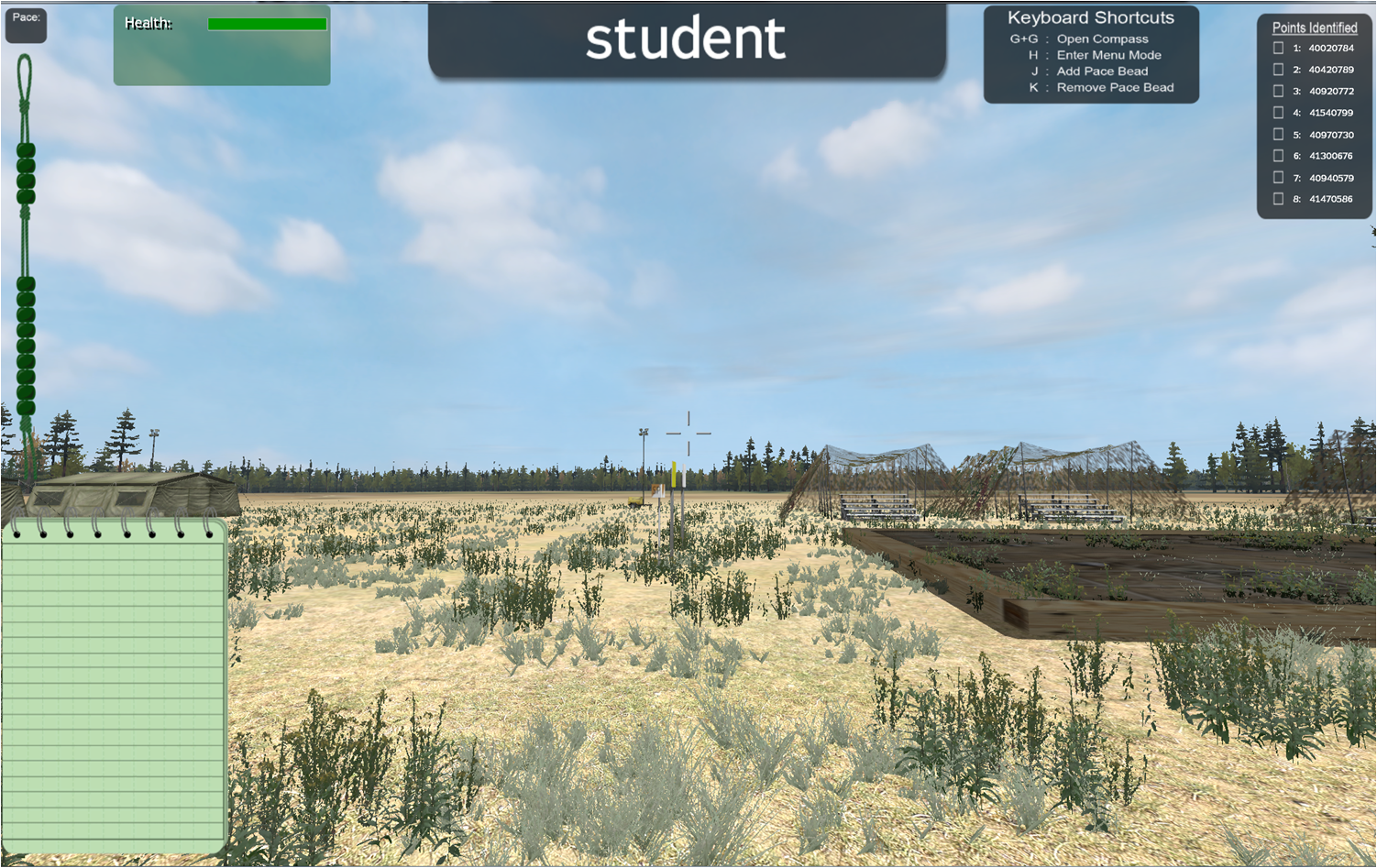
As our queue to create videos was full, I began to work through exactly how I wanted to do a virtual land navigation trainer. I knew that I wanted to use the Fort Lewis terrain, as it was fairly flat and the actual terrain the cadets would be tested on. I also knew that I wanted this trainer to fit is a very specific training gap between classroom instruction of the basics of land navigation and physically walking on a real land navigation course. Honestly assessing the strengths and weaknesses of VBS2, I knew that this trainer could never replace going through a land navigation course, but I knew I could get close.
I wanted the trainer to focus on:
- Correct plotting of points
- Establishing a plan for completion of the course
- Calculation of distance and direction, including the conversion between grid north and magnetic north
- Correct use of pace count and pace beads
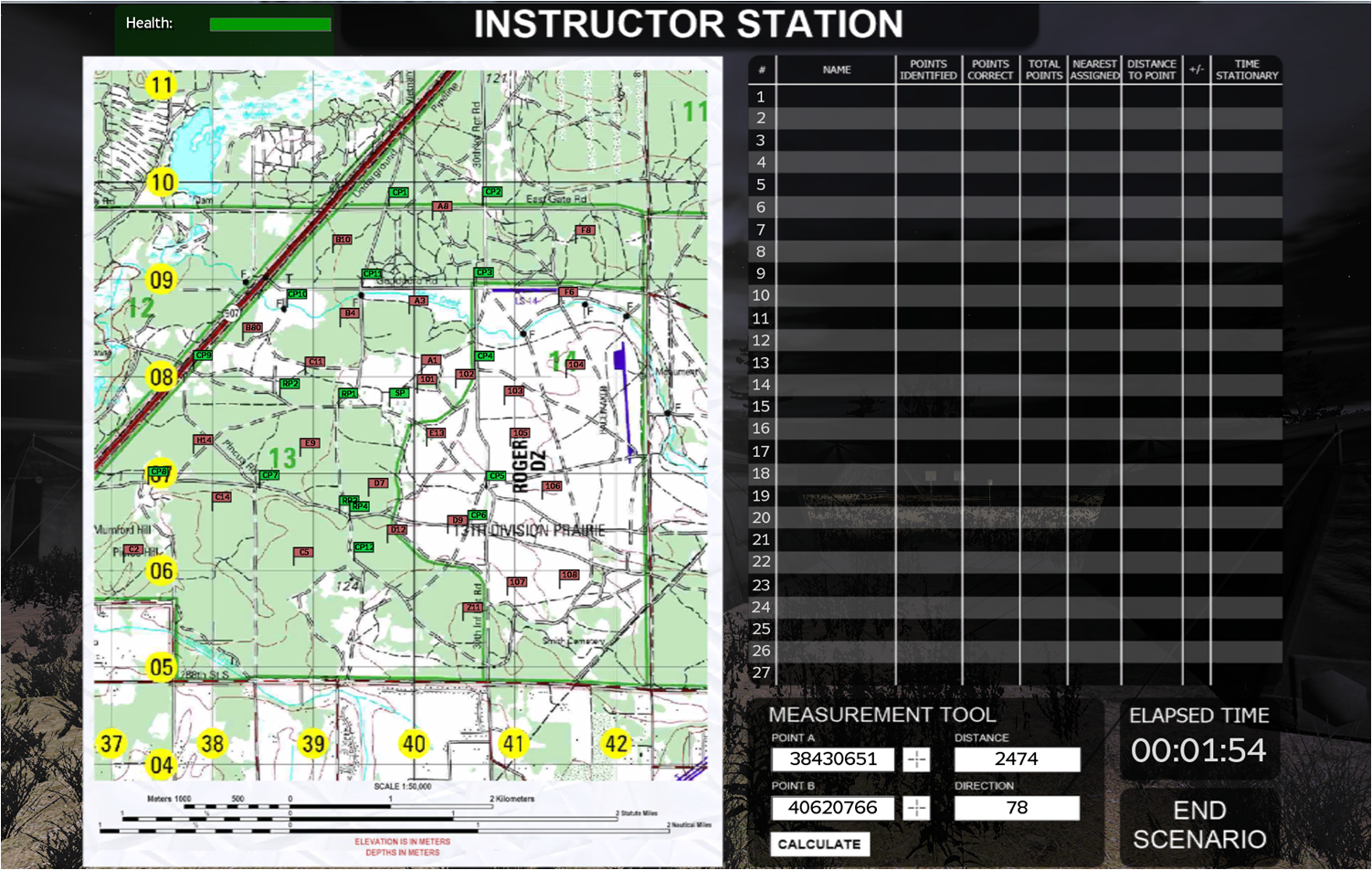
I also wanted there to be an instructor station so that the instructor could view the student’s progress through a top-down map interface along with a chart showing specific data. Part of the challenge for an instructor on a real land navigation course is that when the student walks away from the start point, the instructor has no way of knowing how that student is doing. This has led to several very tragic incidents, including one while I was stationed at Fort Hood, Texas, where a student got lost and died while conducting land navigation. In my trainer, I wanted the instructor to know exactly where the students were and be able to help any of them that got disoriented. That way, hopefully, they would be much better prepared during a real land navigation course.
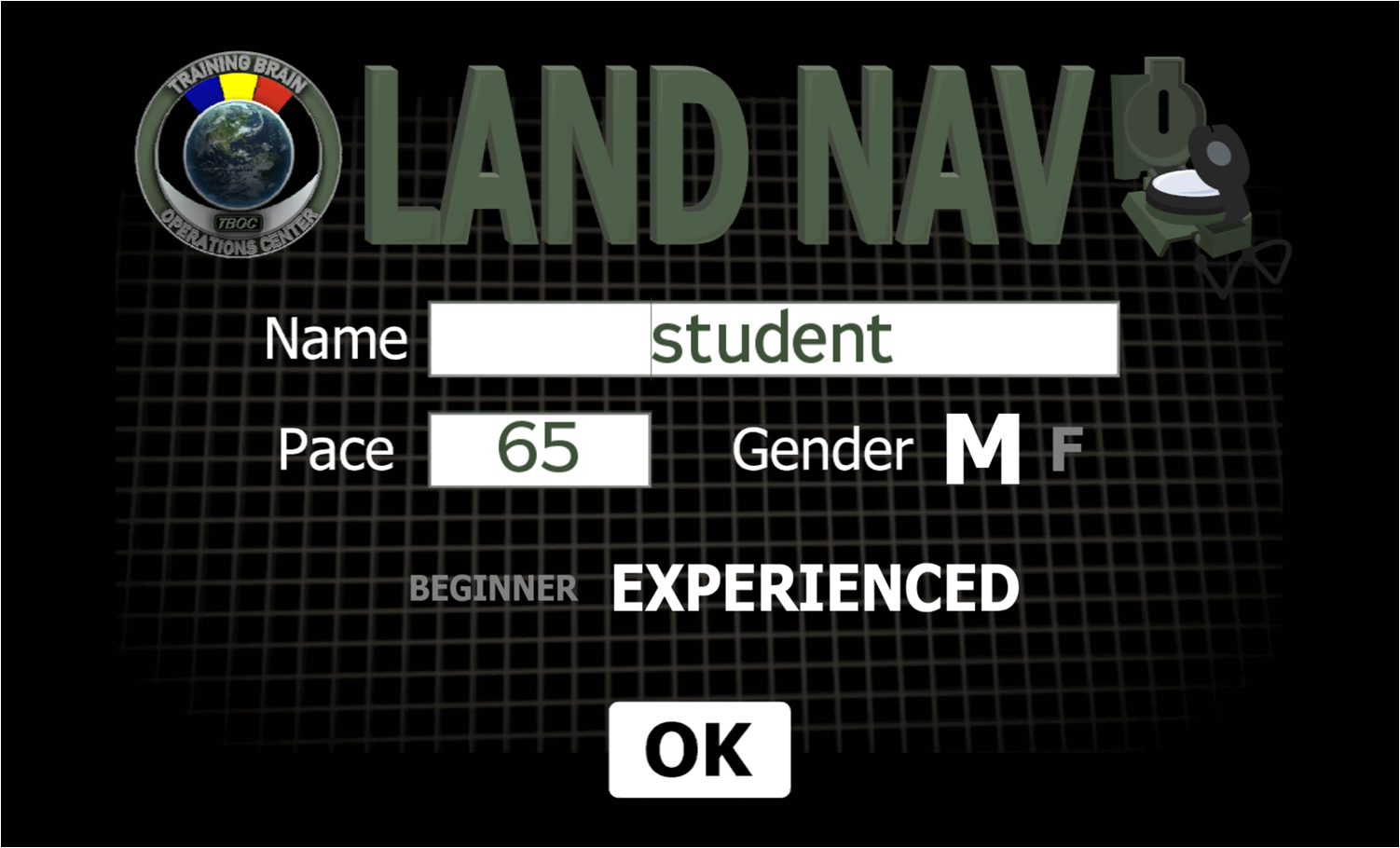
Working as the team leader with our lead 3D modeler and lead software engineer, we designed and created the trainer taking VBS2 to its limits with the tools we had access to. I wrote the initial code for most of the functional elements myself, which were then modified by the software engineer with the addition of the user interface you see in the video above. We have released 3 versions of the trainer, each one fixing previous issues and adding new functionality requested by our customers. We have added a beginner course, to allow the instructor to walk the students through each point, gaining confidence in their abilities.
I am the PM on a MSIAC contract out of Fort Hood supporting the Mission Command Training Center (MCTC). Brian Hall from the TBOC has done some tremendous work on the Land Navigation tool and has really gone out of his way to be responsive to customers in the field.Wanted you to know you have a tremendous asset and representative of Alion working for you. Please pass on our thanks to Brian…tremendous work. – Mike Hilliard, PM, MCTC, Fort Hood
This is the VBS2 Land Navigation Tutorial sent out with our product:
VBS2 Land Nav Trainer Tutorial v1.5
This is the Instructor Station tutorial:
VBS2 LandNav Trainer Instructor Tutorial v1.5
Land Navigation Code Examples
To keep the students from knowing where the points are with multiple times through the trainer, each point is randomized within a 150 meter radius.
LandNavPoints = [];
{
_pointPos = getPos _x;
_randPosNeg = [1,-1];
_randX = (random 150)*(_randPosNeg select (round (random 1)));
_randY = (random 150)*(_randPosNeg select (round (random 1)));
_pos = [(_pointPos select 0)+_randX,(_pointPos select 1)+_randY,(_pointPos select 2)];
_x setPos _pos;
LandNavPoints = LandNavPoints + [[_x, positionToGrid _pos]];
} forEach FindPoints;
publicVariable “LandNavPoints”;BeginnerPoints = [];
{
_pos = getPos _x;
BeginnerPoints = BeginnerPoints + [[_x, positionToGrid _pos]];
} forEach BeginnerPointNames;
publicVariable “BeginnerPoints”;
For night land navigation, there need to be chemical lights on each known point. This code example waits until the time of the scenario is greater than 6pm, then adds the chemical lights.
{
_x setPos [0,0,0];
} forEach[chemLight,chemLight_1,chemLight_2,chemLight_3,chemLight_4,chemLight_5,chemLight_6,chemLight_7,chemLight_8,chemLight_9,
chemLight_10,chemLight_11,chemLight_12,chemLight_13,chemLight_14,chemLight_15,chemLight_16,chemLight_17];sleep 15;
waitUntil{ dayTime > 18 };
_attachPoint = [0,-0.07,0.7];
chemLight attachTo [CP, _attachPoint];
chemlight1 attachTo [CP1, _attachPoint];
chemlight_2 attachTo [CP2, _attachPoint];
chemlight_3 attachTo [CP3, _attachPoint];
chemlight_4 attachTo [CP4, _attachPoint];
chemlight_5 attachTo [CP5, _attachPoint];
chemlight_6 attachTo [CP6, _attachPoint];
chemlight_7 attachTo [CP7, _attachPoint];
chemlight_8 attachTo [CP8, _attachPoint];
chemlight_9 attachTo [CP9, _attachPoint];
chemlight_10 attachTo [CP10, _attachPoint];
chemlight_11 attachTo [CP11, _attachPoint];
chemlight_12 attachTo [CP12, _attachPoint];chemlight_13 attachTo [RP, _attachPoint];
chemlight_14 attachTo [RP1, _attachPoint];
chemlight_15 attachTo [RP2, _attachPoint];
chemlight_16 attachTo [RP3, _attachPoint];
chemlight_17 attachTo [RP4, _attachPoint];{
_dir = getDir _x;
_pos = getPos _x;_light = “#lightpoint” createVehicle _pos;
_light setLightBrightness .01;
_light setLightColor[0.55, 0.55, 0.0];
_light setLightAmbient[0.1, 0.1, 0.0];sleep 1;
} forEach[chemLight,chemLight_1,chemLight_2,chemLight_3,chemLight_4,chemLight_5,chemLight_6,chemLight_7,chemLight_8,chemLight_9,chemLight_10,chemLight_11,chemLight_12,chemLight_13,chemLight_14,chemLight_15,chemLight_16,chemLight_17];
This last example shows how the instructor station sets up the trainer based on inputs on the instructor setup screen:
_numberOfPoints = _numPoints select _index;
instructor setVariable [“NumberOfPoints”, _numberOfPoints, true];//Set any of the conditions that need to be set based on instructor input….
_timeOfDay = instructor getVariable “TimeofDay”;
_weather = instructor getVariable “Weather”;
_gmAngle = instructor getVariable “GMAngle”;
_nightVision = instructor getVariable “NightVision”;if( _timeOfDay == “Night” ) then {
publicExec [“isServer”,”setDate[ 2011, 6, 1, 21, 30]”];
};if( _weather == “Sunny” ) then {
_timeToCloudy = 30;
_cloudDensity = 0;
_string = format [“%1 setOvercast %2”,_timeToCloudy,_cloudDensity];
publicExec[“true”,_string];
};if( _weather == “Rain” ) then {
_timeToCloudy = 30;
_cloudDensity = random 0.8;
_string = format [“%1 setOvercast %2”,_timeToCloudy,_cloudDensity];
publicExec[“true”,_string];_timeToRain = 30;
_rainDensity = random 0.8;
_string = format [“%1 setRain %2”,_timeToRain,_rainDensity];
publicExec[“true”,_string];
};if( _gmAngle == “No” ) then {
publicExec [“isServer”,”setDeclination 0″];
};if( _nightVision == “Yes” ) then {
{
_string = format [“%1 addWeapon ‘NVGoggles'”,_x];
publicExec[“true”,_string];
} forEach Students;
};
 Brian T. Hall, PMP